
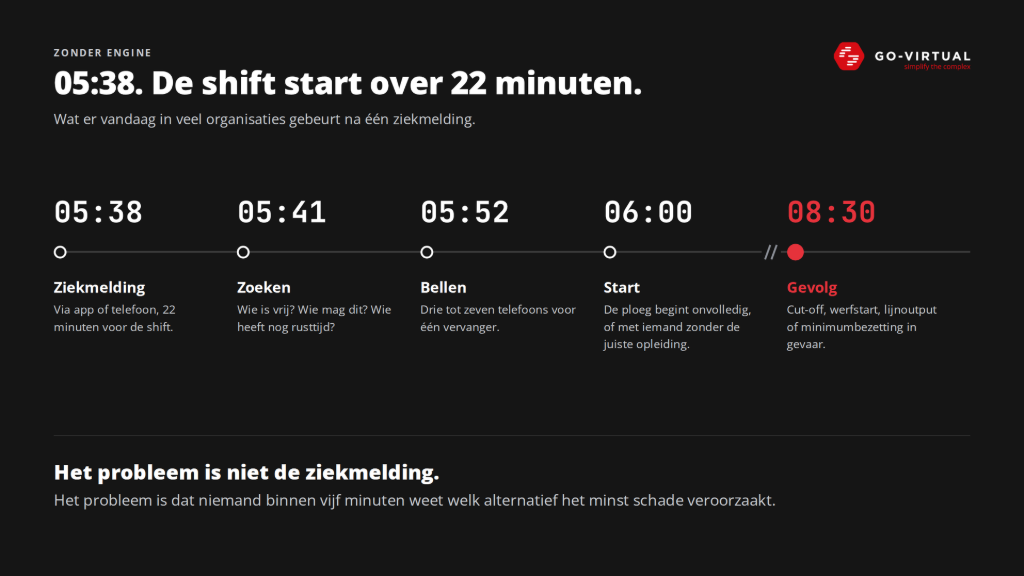
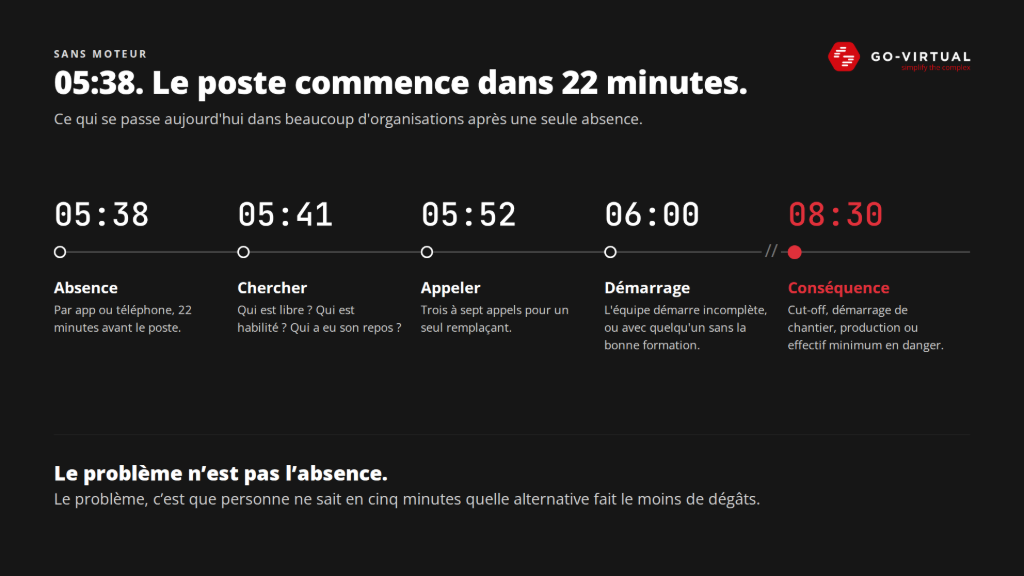
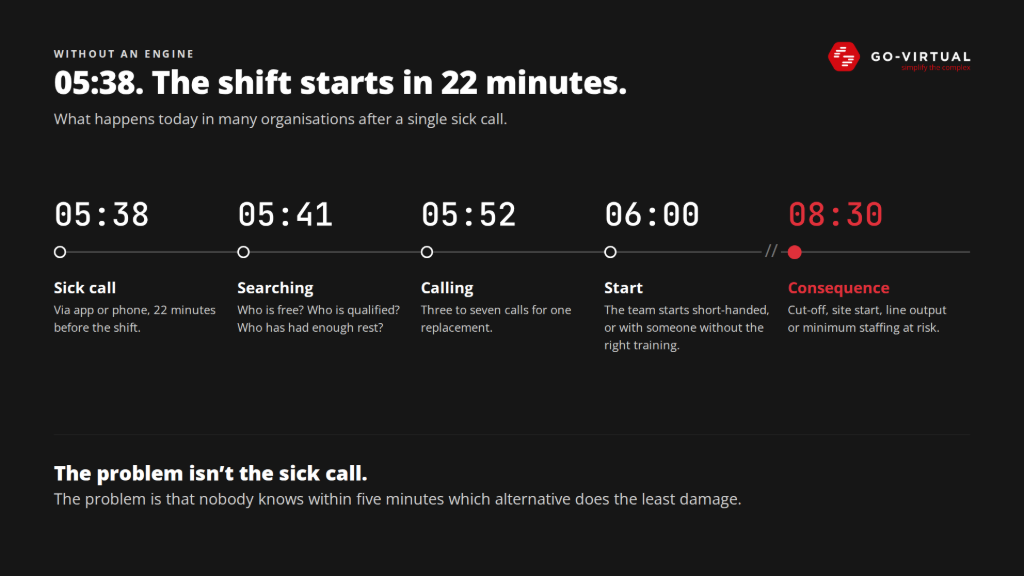
05:38. The shift starts in 22 minutes
It's 5:38 a.m. An employee calls in sick. The shift starts in 22 minutes.
What happens next is recognized by almost every planner. At 05:41, the search begins. Who is available? Who has the right certification? Who has had enough rest? And most importantly: who can I move without creating a new problem elsewhere? At 05:52, the planner is on the fourth phone call. The first candidate cannot, the second does not answer, the third worked too long yesterday. The fourth could, but then another site is left without staff. At 06:00, the team starts incomplete, or with someone who does not have the right training. And at 08:30, the bill comes: a missed cut-off, a delayed site start, less line output, or a department below minimum staffing.
The planner is not the problem in this story. On the contrary, they work very hard. But without a supporting engine, the planner is the engine. All the rules, exceptions, phone numbers, and possible combinations are in one head.
So the real problem is not the sick report. That always comes. The problem is that no one knows within five minutes which alternative is operationally and economically the least damaging.
One sick report, four departments
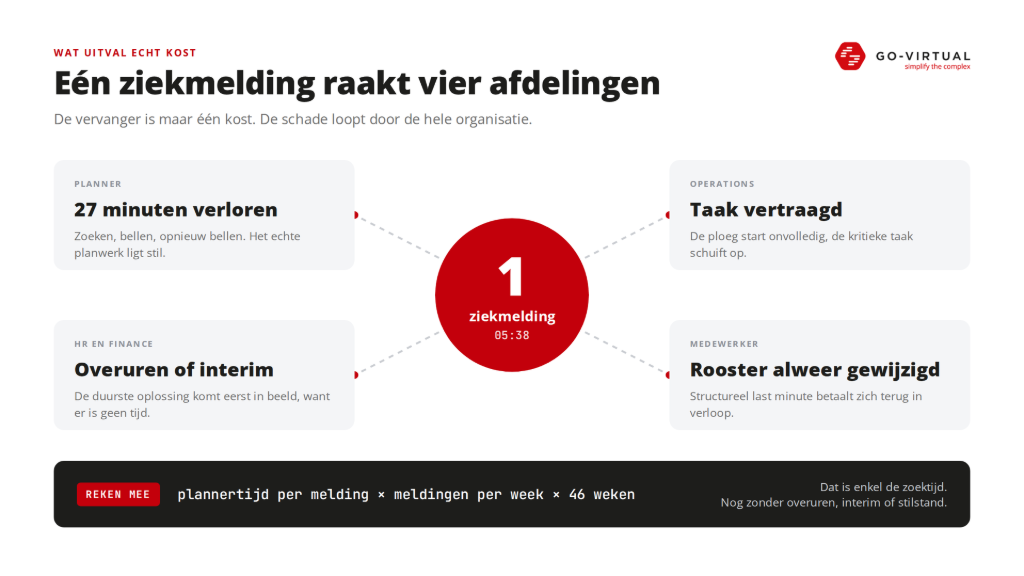
When we look at the cost of absenteeism, we usually think of the replacement. But that replacement is just one part of the bill.
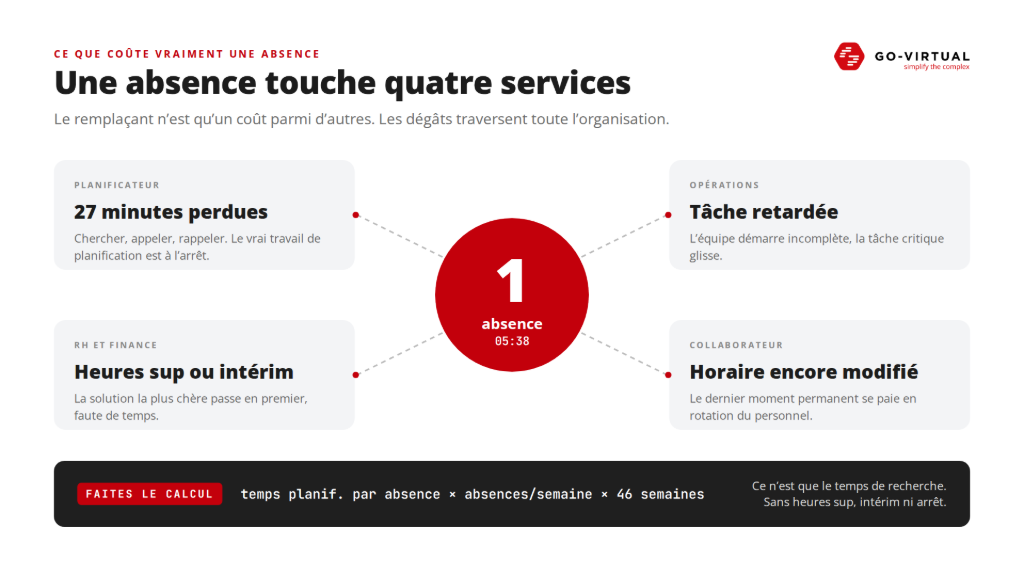
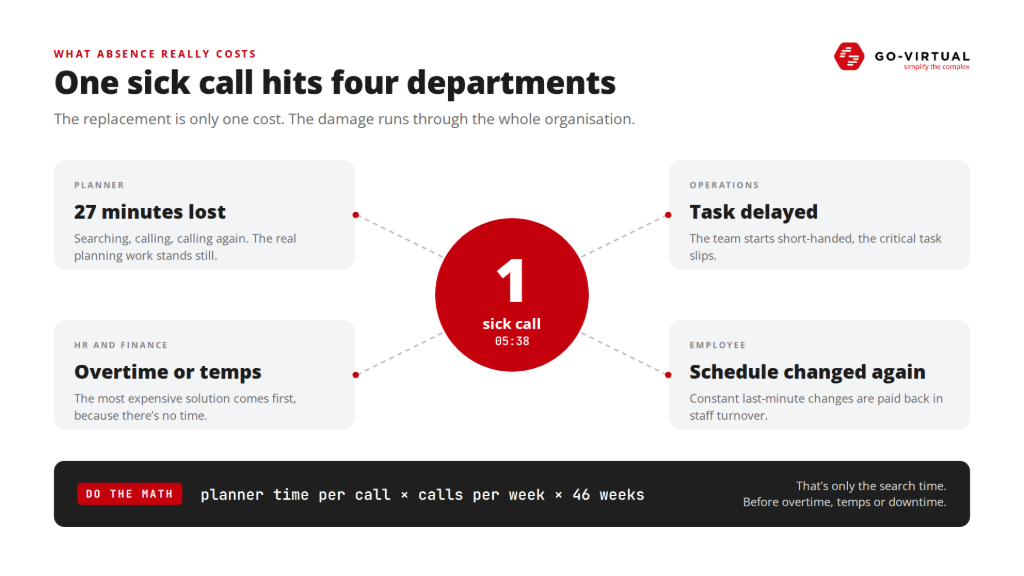
The planner easily loses 27 minutes searching, calling, and calling again. Time during which the actual planning work is at a standstill. Operations gets a team that starts late or incomplete, causing a critical task to be delayed. HR and finance inherit the consequences: overtime, a temporary worker at an emergency rate, or a correction that needs to be sorted out later. And the employee is once again informed at the last moment that their schedule is changing. That may seem small, but those who experience it structurally become frustrated. And frustration pays back in turnover.
Additionally, there is the cost that no one books. The wrong person on the wrong task, resulting in lower output. Someone who steps in while their certification is actually not correct. Managers who help search instead of directing their operation.
We consciously do not provide a benchmark here, because then the discussion quickly shifts to the benchmark figure. Instead, do a simple exercise yourself: take the average planning time per disruption, multiply that by the number of disruptions per week, and then by 46 working weeks. Then you only have the search time. Not yet any downtime, no overtime, no interim, no lost output. Anyone who does that calculation almost always ends up with hundreds of hours per year.
You cannot automate away absenteeism. Nor peak pressure. Disruptions are part of an operation. But the time you need to respond to them, you do have in your hands.
The disruption is a given. The response time to it is a choice.
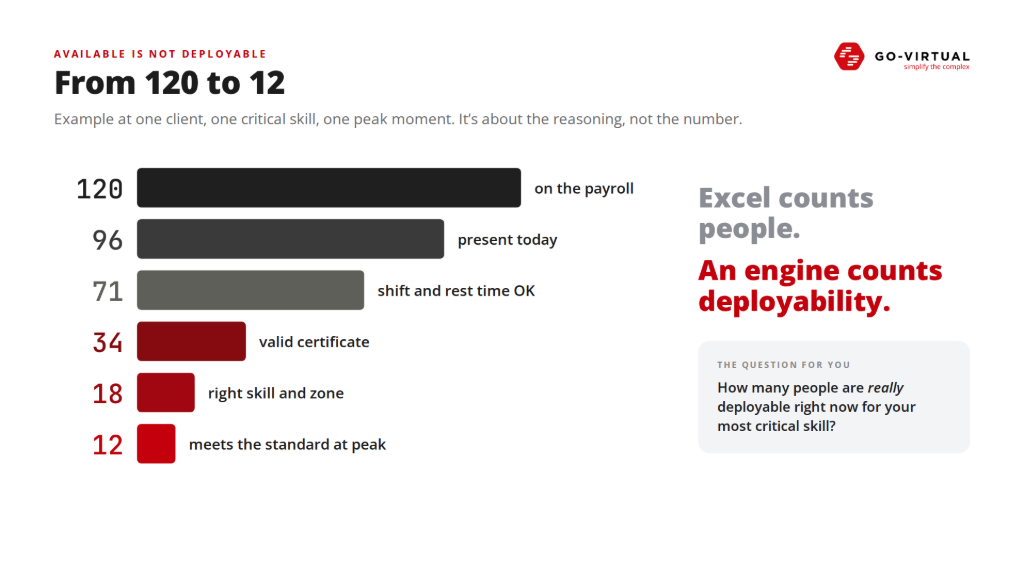
From 120 to 12: available is not deployable
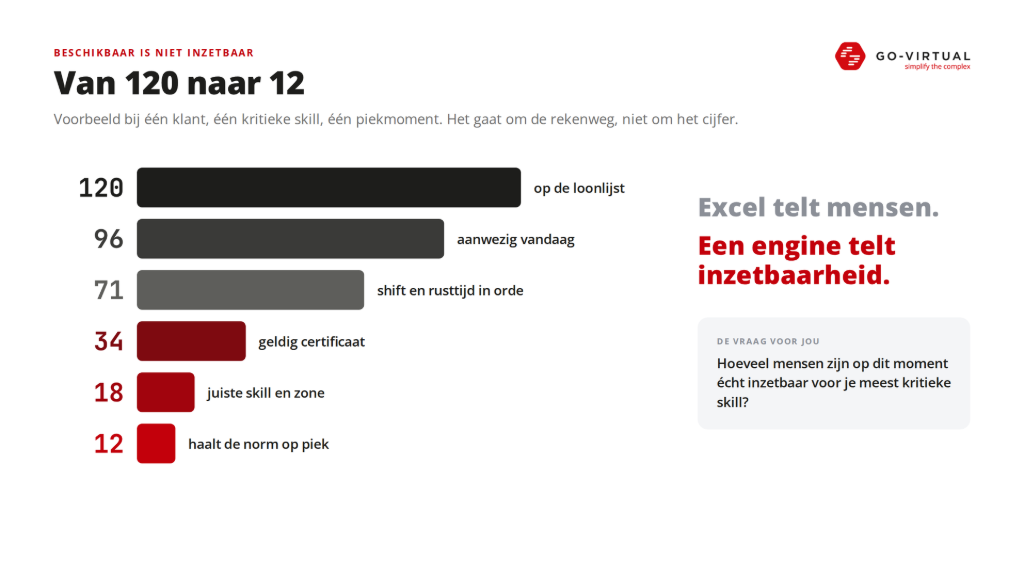
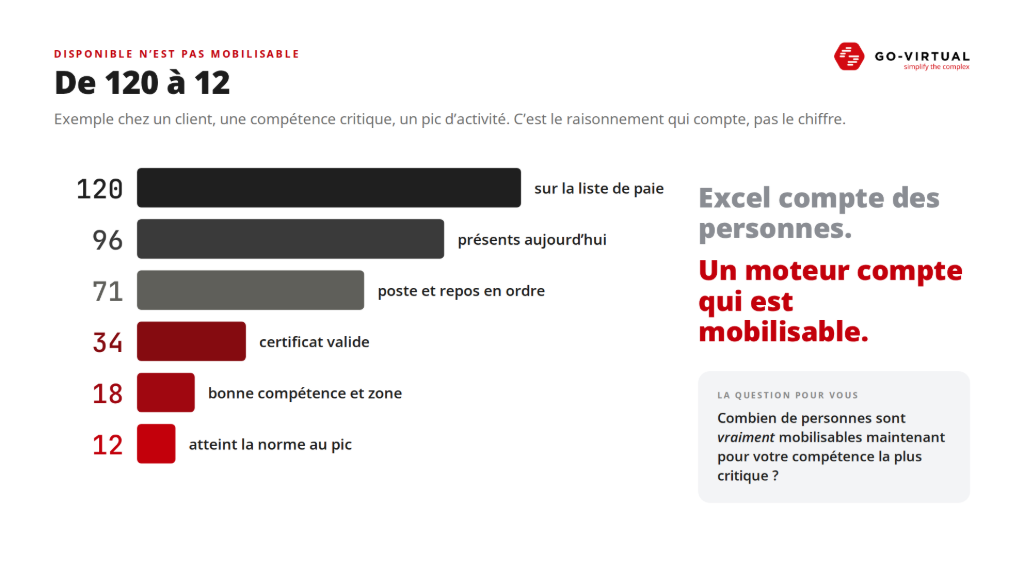
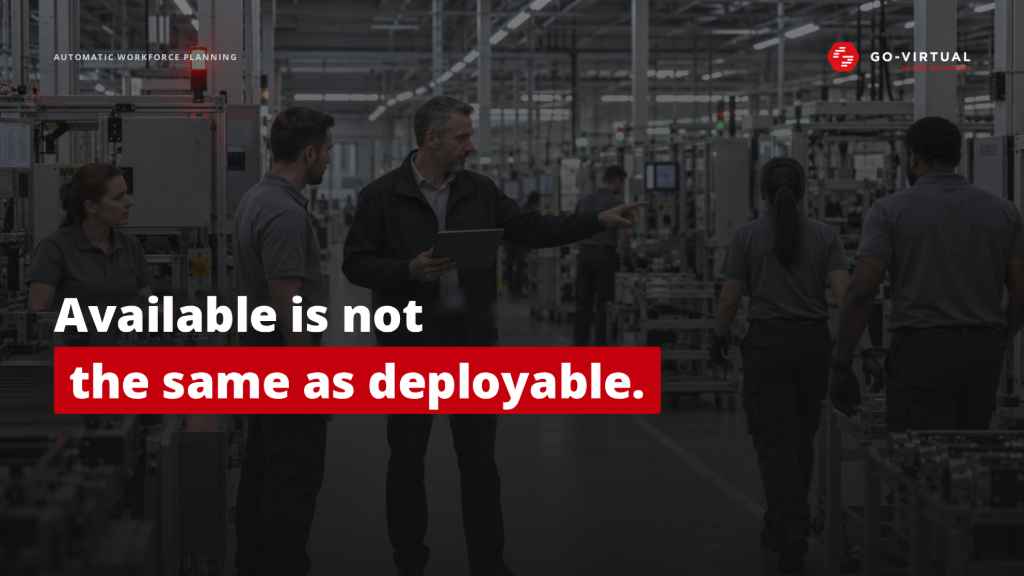
Take an organization with 120 employees on the payroll. At first glance, that seems comfortable. Until you start filtering. So ask yourself the question: how many people are currently truly available for your most critical skill? Not how many are on the payroll. Not how many are present today. Many organizations do not know that number, and that is exactly where good workforce planning begins.
Today, there are 96 present. Of those, 71 are in the right shift, with breaks that are in order. 34 of them have the certificate that is needed today. 18 also have the right skill AND are in the right zone. And at the critical peak moment, 12 remain who also meet the required standard.
From 120 to 12. That is an example with one client, for one critical skill at one peak moment. The exact number does not matter. The calculation method does.
Because Excel counts people. A planning engine counts availability. And that is exactly where the difference lies between "don't we have enough people?" and "right now we have three people who can actually do this work, are qualified, and can perform it meaningfully".
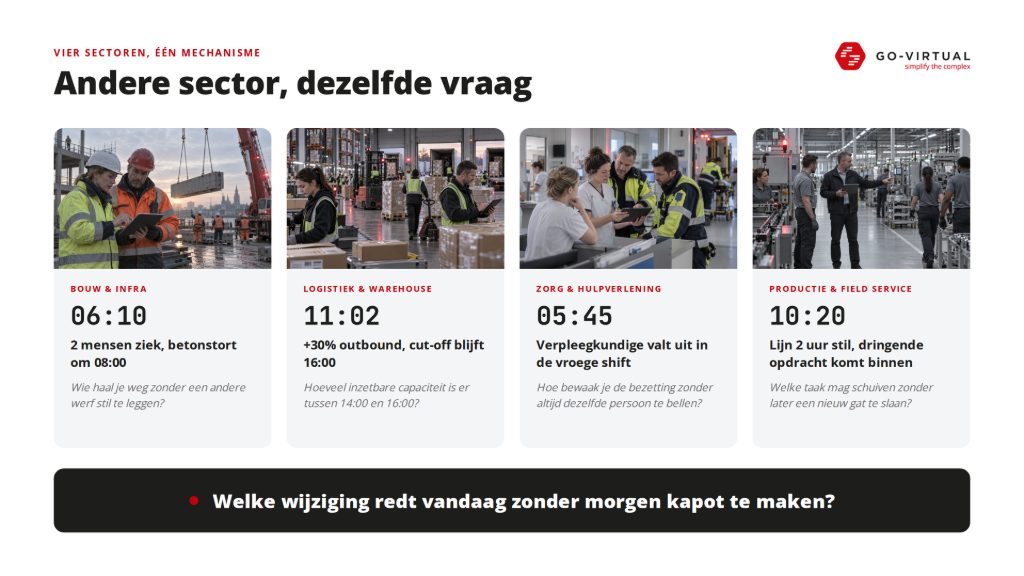
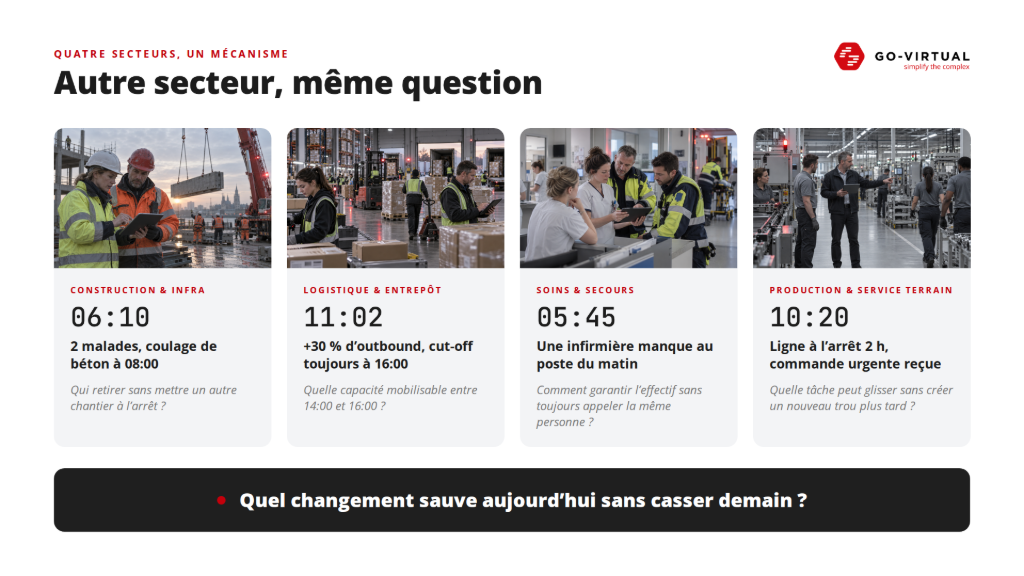
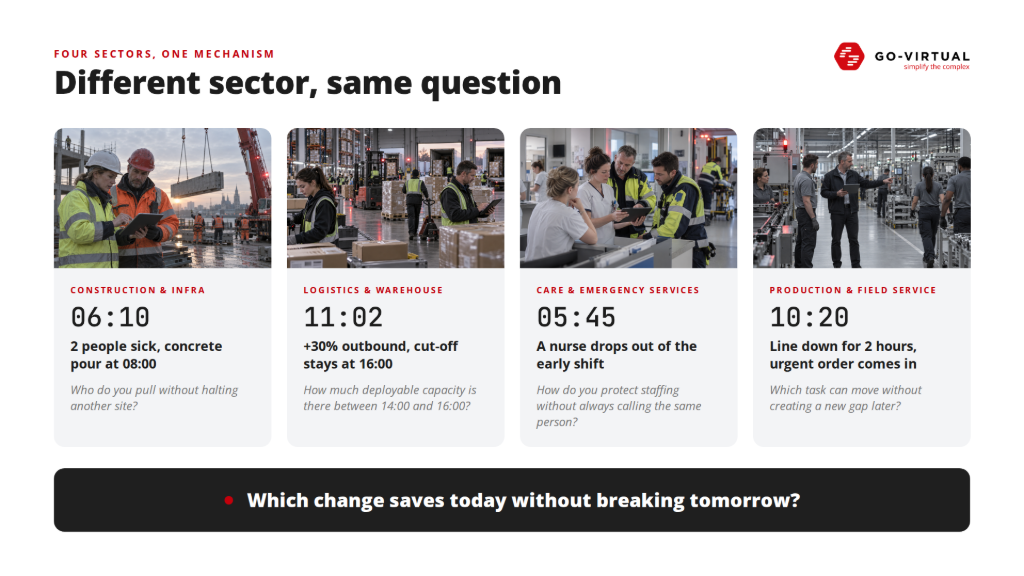
Different sector, same question
Construction, logistics, healthcare, and production seem like four totally different worlds. The rules really do differ. But the question that the planner tries to answer every day is the same everywhere.
In the construction two people report sick at 06:10, while a concrete pour is scheduled for 08:00. On paper, you are looking for two available people. In reality, not every team is allowed to perform that phase, certificates must be correct on the day itself, people, machines, and operators must work together, and you cannot halt site A to save site B. The cheapest employee is not necessarily the cheapest solution. If someone is moved cheaply but causes another team to wait an hour, nothing has been saved.
In a warehouse it turns out at 11:02 that the outbound volume is thirty percent higher than expected. The cut-off remains 16:00, because that truck won't wait. The wrong question is how many people are there today. The better question is how much deployable capacity there is between 14:00 and 16:00. If you only see the problem at half past three, you have two options left: overtime or emergency interim. The most expensive solutions often come into play because the cheaper ones were seen too late.
In the care a nurse drops out at 05:45 during the early shift. Minimum staffing and qualifications are hard limits here, not preferences. And there is something else at play. If there is one flexible colleague who always says yes, you can technically solve any disruption by calling that person. Until that person one day says no. Fair distribution is therefore not a luxury, but a condition to keep your capacity up to par.
In production a line goes down for two hours at 10:20, while an urgent service order comes in. Preventive maintenance can be postponed, SLA work cannot. Not every operator can run every line. A supervisor sees well what happens in their own team, but a shift that seems perfect locally can create a new gap elsewhere two hours later.
Different rules, different words, different deadlines. But always the same core question: which change saves today without breaking tomorrow?
Planning and replanning are two different problems
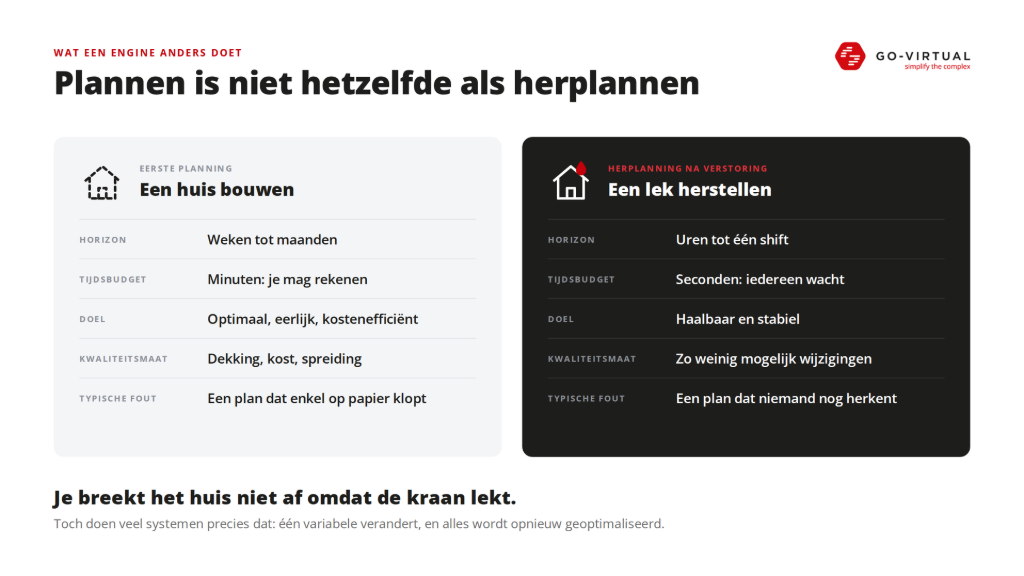
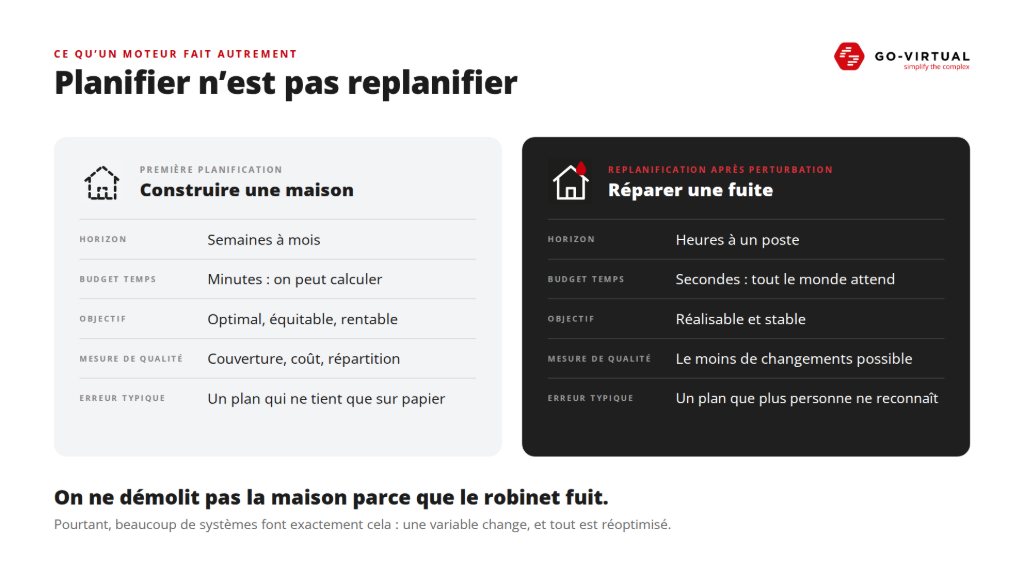
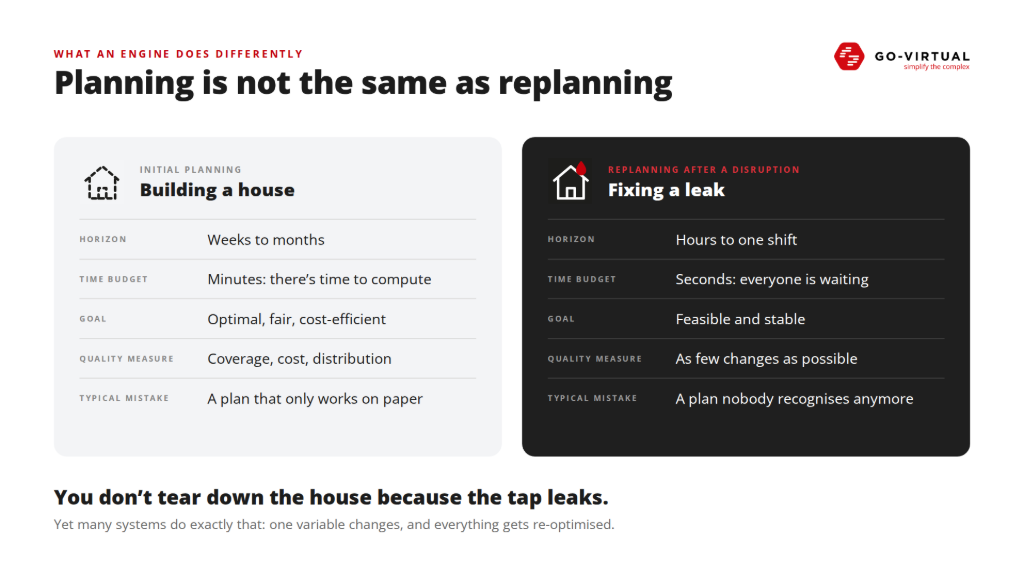
Here lies, in our opinion, the biggest misconception in many planning software. Creating an initial plan and restoring a plan are approached with the same logic, while they are fundamentally different problems.
In an initial plan, you look weeks or months ahead. You have minutes to calculate and you seek the optimum: the best coverage, the lowest cost, the fairest distribution. In a replanning, the shift is already in progress. People are on their way, equipment is on site, and everyone is waiting. You have no minutes, but seconds. You are not looking for the optimum, but for a plan that is feasible and stable.
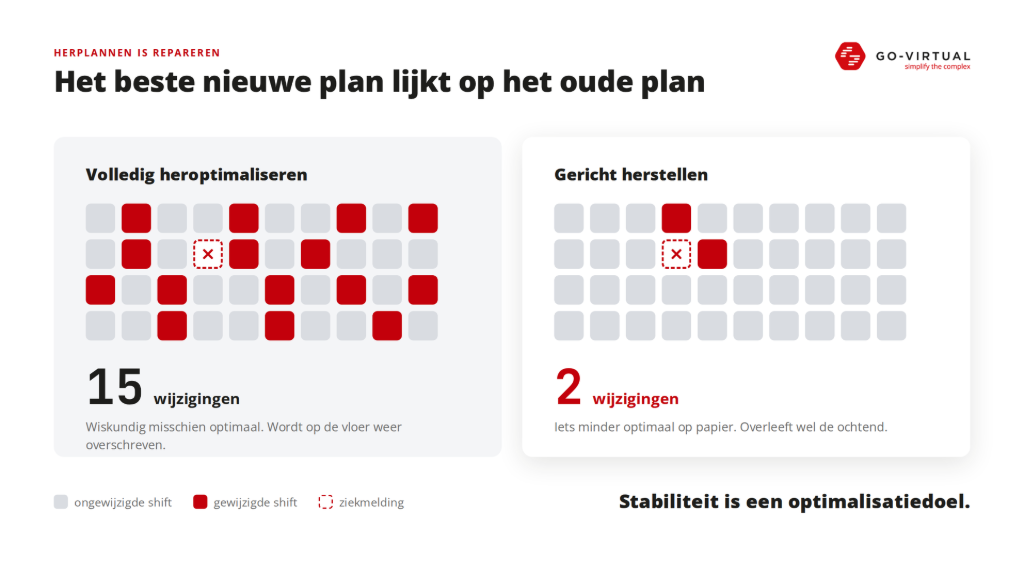
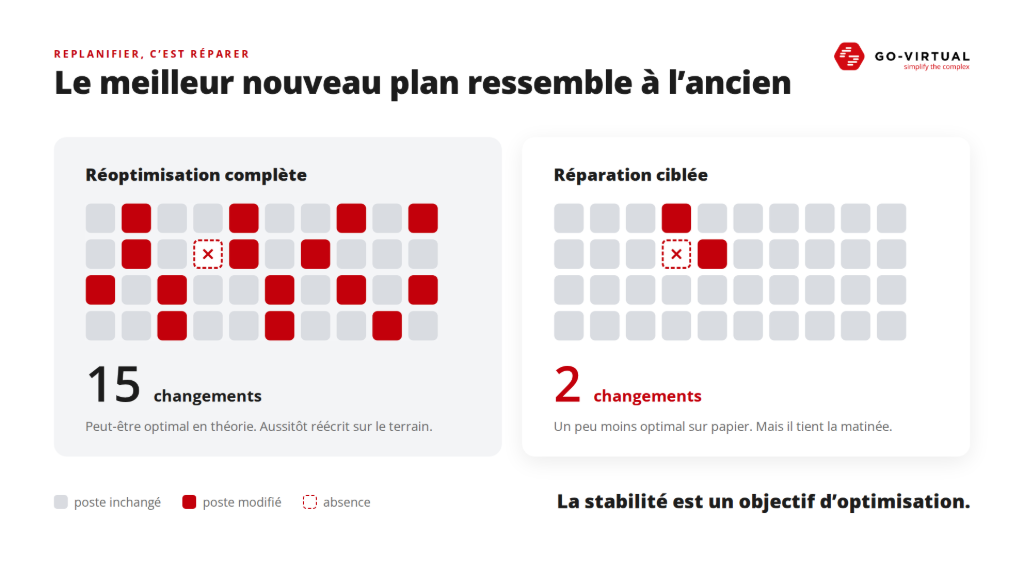
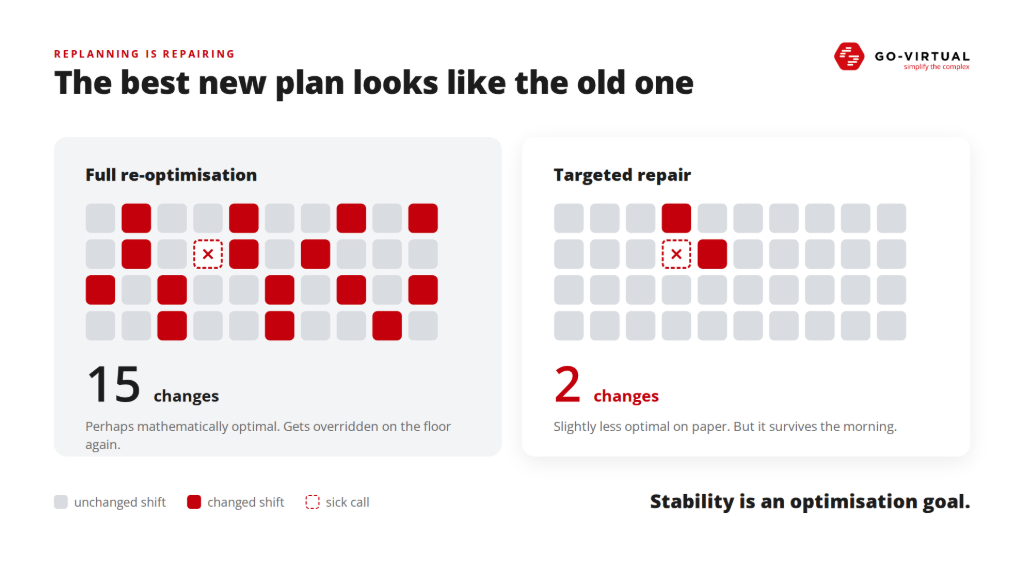
Compare it to a house. Creating an initial plan is like building a house. Replanning is like fixing a leak while the residents are already living in it. You don’t tear down the house because the faucet is leaking. Yet many systems do exactly that: one variable changes and they optimize everything again. The result may be mathematically better, but if fifteen people suddenly get a different shift because of it, that plan won’t survive the morning. It simply gets overwritten on the floor.
A proposal with two changes is therefore often much better than a proposal with fifteen, even if it scores slightly lower on paper. The best new plan resembles the old plan as much as possible. Stability is therefore an optimization goal in itself.
From showing to calculating
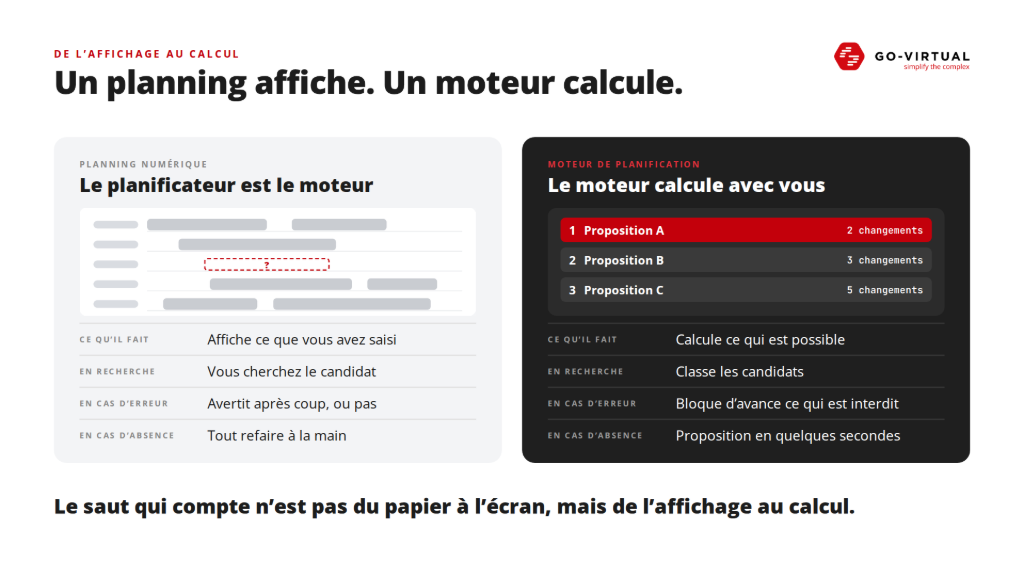
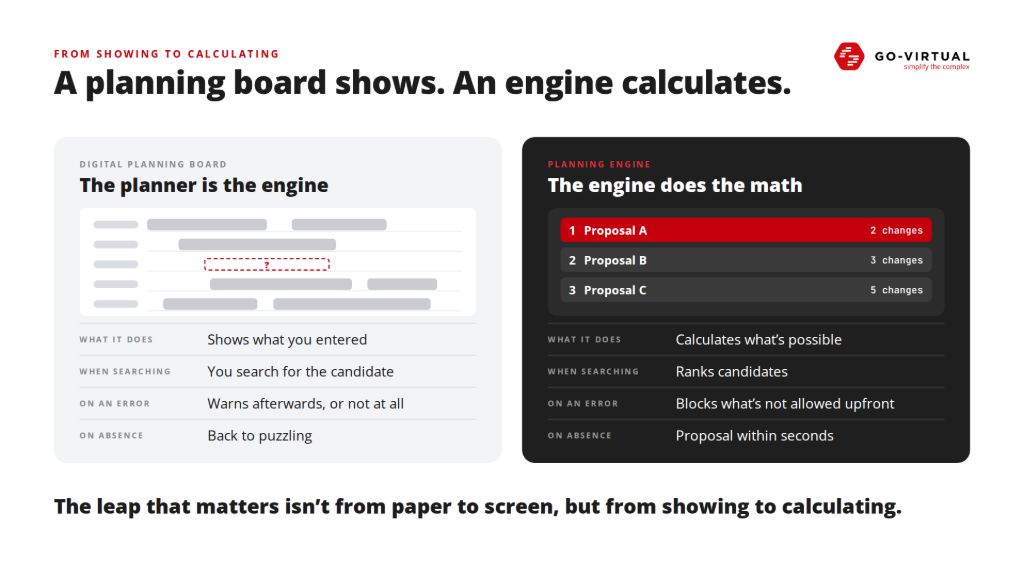
This brings us to a distinction that often blurs: a digital planning board is not a planning engine.
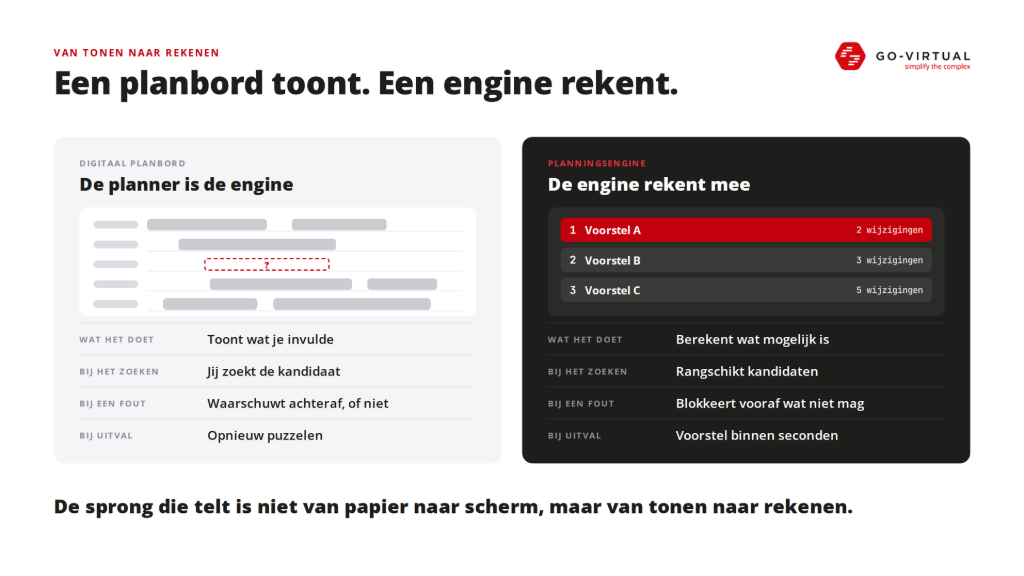
A planning board is useful, there should be no doubt about that. It is more organized than Excel, you can move things around faster, and everyone looks at the same schedule. But essentially, it shows what you have entered. The planner still finds the candidate themselves, knows the exceptions, decides what is allowed, and starts rearranging again when there are absences. A mistake is pointed out afterwards, or not at all.
An engine calculates what is possible. It ranks candidates, blocks in advance what is not allowed, and suggests alternatives within seconds in case of a disruption. Being faster than Excel is not the same as being something other than Excel. The leap that matters is not from paper to screen, but from showing to calculating.
Then almost always comes the question: is this AI? For what we are describing here: no. It is about optimization based on explicit rules and weights determined by the organization itself. That is actually a strength, because it makes every choice explainable and repeatable. Predicting absence or demand with machine learning is certainly possible, but that is a later step, not the first.
The engine calculates your priority, not "the best schedule"
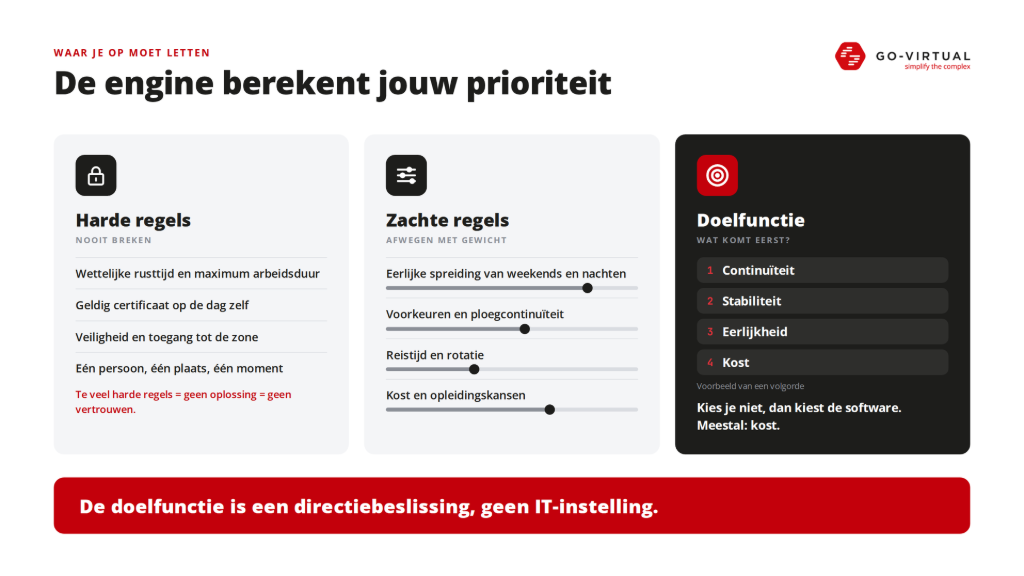
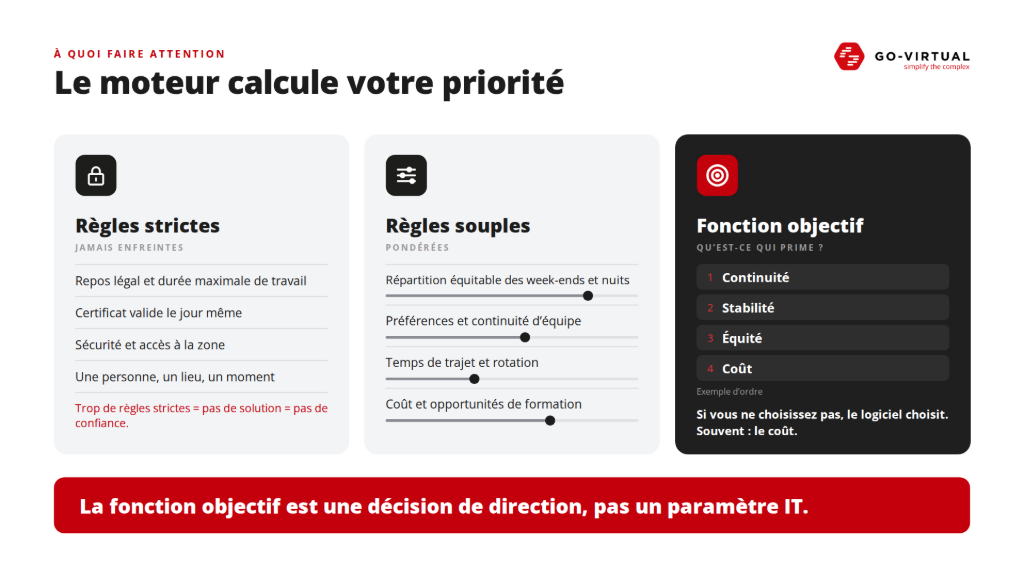
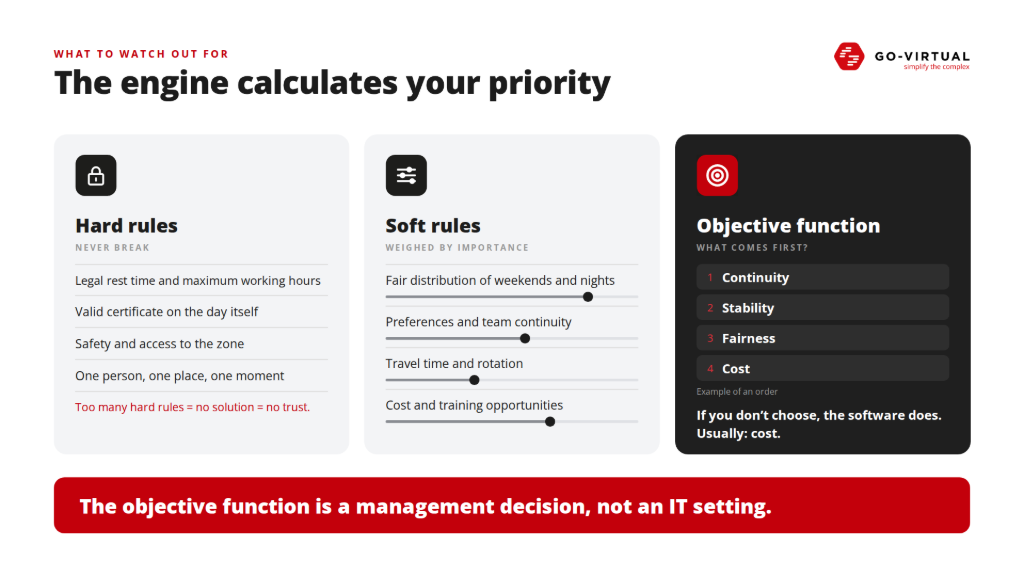
An engine works with two types of rules. Hard rules are never broken: legal rest periods, maximum working hours, a valid certificate on the day itself, safety and access rights, and the simple fact that one person cannot be in two places at the same time. Soft rules are weighed: a fair distribution of weekends, nights, and overtime, preferences, team continuity and fixed pairs, travel time, cost, and training opportunities.
It often goes wrong when organizations want to make almost everything rigid. This should never happen, that should never happen, that team will never fall apart. Until the engine finds no solution at all. And no solution means no trust: the planner reverts to Excel. Therefore, build rules that you can relax, with an explanation of why.
Equally important is the objective function: what can the planning optimize, and in what order? Continuity, cost, fairness, stability, service? Whoever does not make that choice explicit allows the software to make it silently. And then it usually becomes cost, even if that is not the most important criterion for your organization.
The objective function is a management decision, not an IT setting.
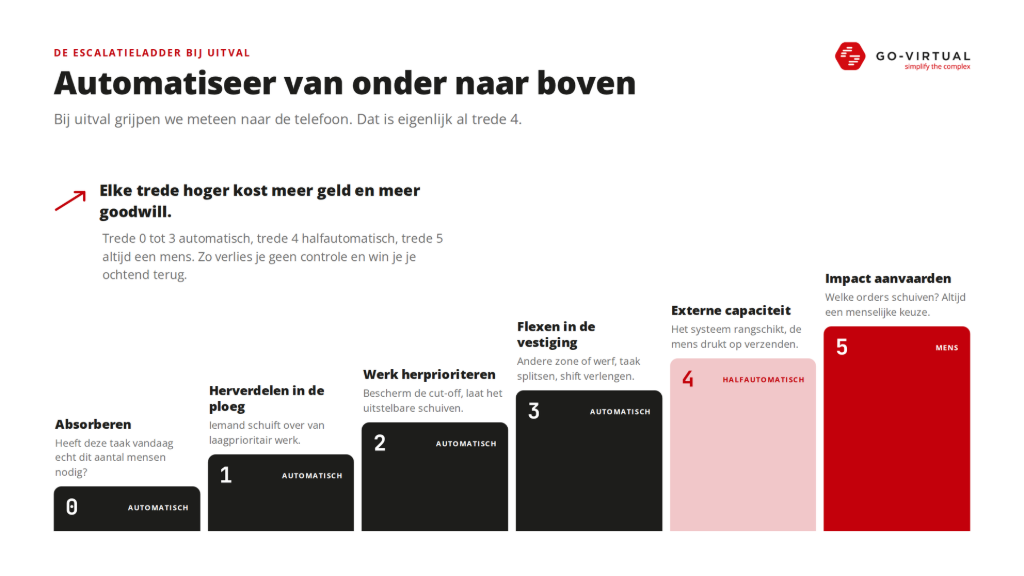
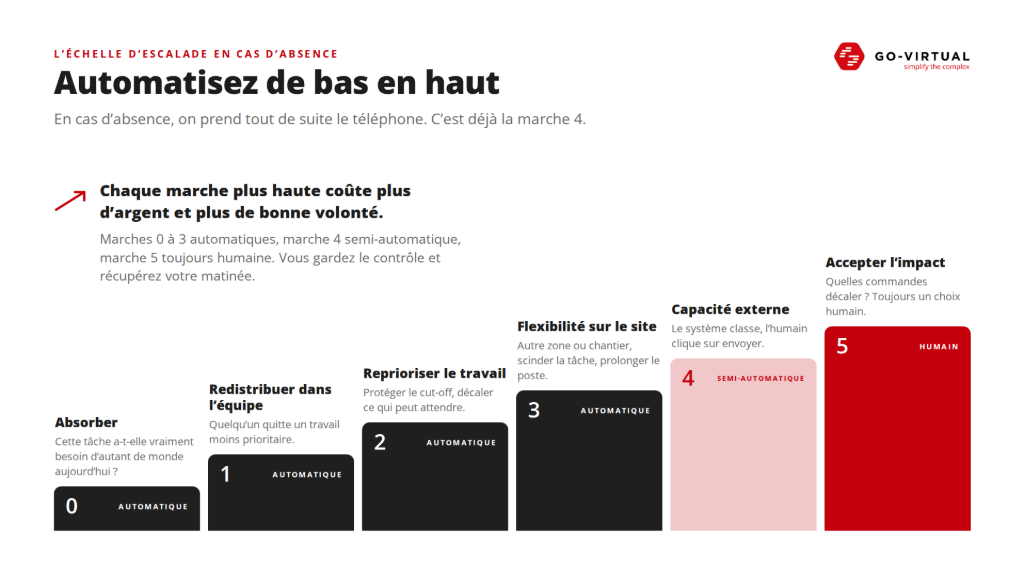
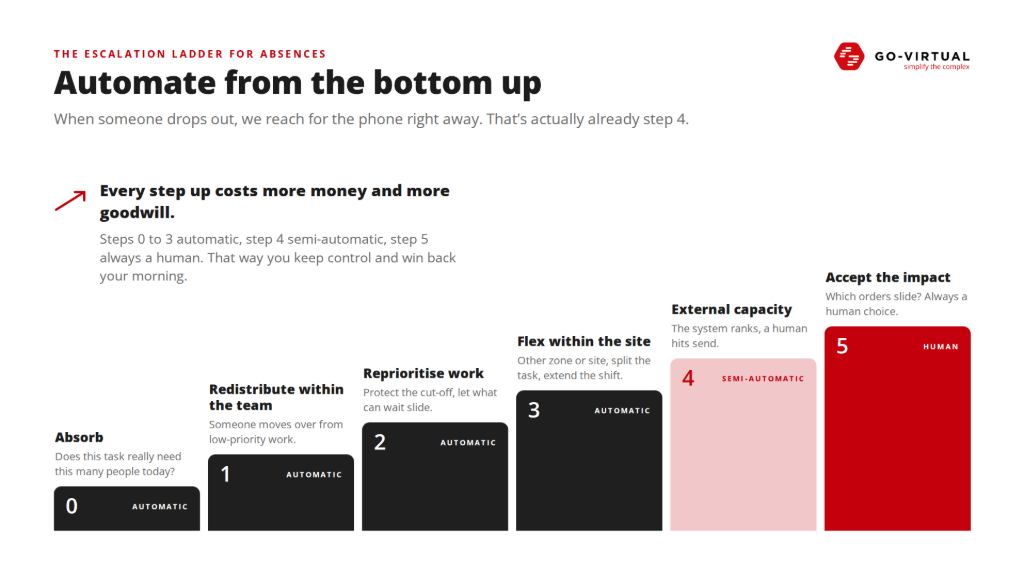
The escalation ladder: automate from the bottom up.
In case of failure, many organizations immediately jump to the phone. Who can come? Who wants to work overtime? Can we call interim? But that is actually already step four. Each step higher costs more money and more goodwill, so the real question is: what have we not tried before that?
- Step 0, absorb. Does this task really need four people today, or can it temporarily be done with three?
- Step 1, redistribute within the team. Can someone shift from a lower priority task?
- Step 2, reprioritize work. Protect the cut-off or the project start and let the deferrable slide.
- Step 3, flex within the location. Another zone or project, splitting a task, extending a shift within the rules.
- Step 4, call in external capacity. The system creates a ranked list: who is available, who is allowed this, who costs what, who is closest, who has recently worked extra? The human presses send.
- Step 5, accept and communicate impact. Which order shifts, which customer do we notify? That always remains a human decision.
Steps zero to three can be extensively automated, step four semi-automatically, step five remains human. Automatic workforce planning does not mean you relinquish control. It means you automate the cheap, repetitive search steps before resorting to expensive emergency solutions. This way, you do not lose control, but you do regain your morning.
Automatic planning affects people
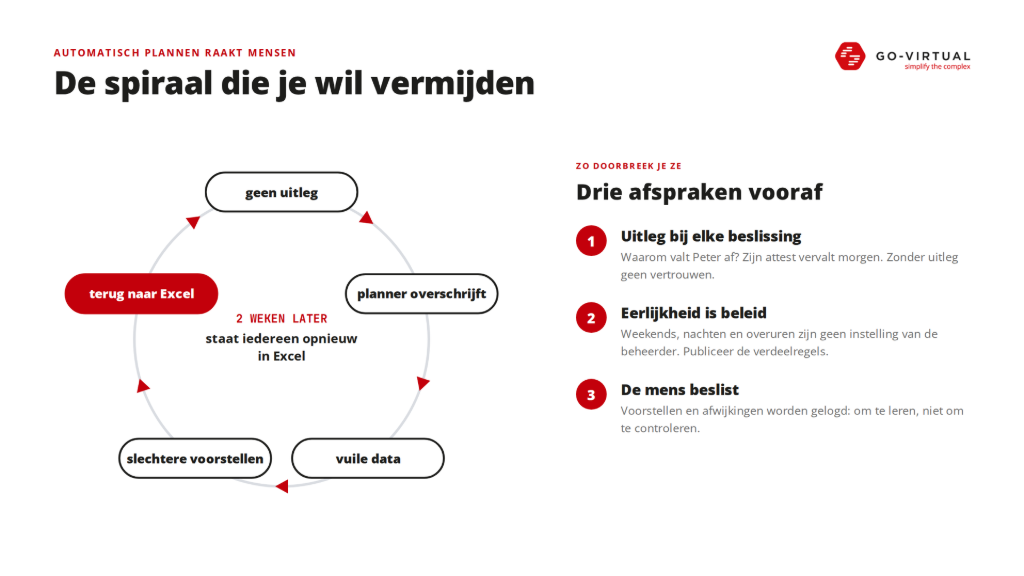
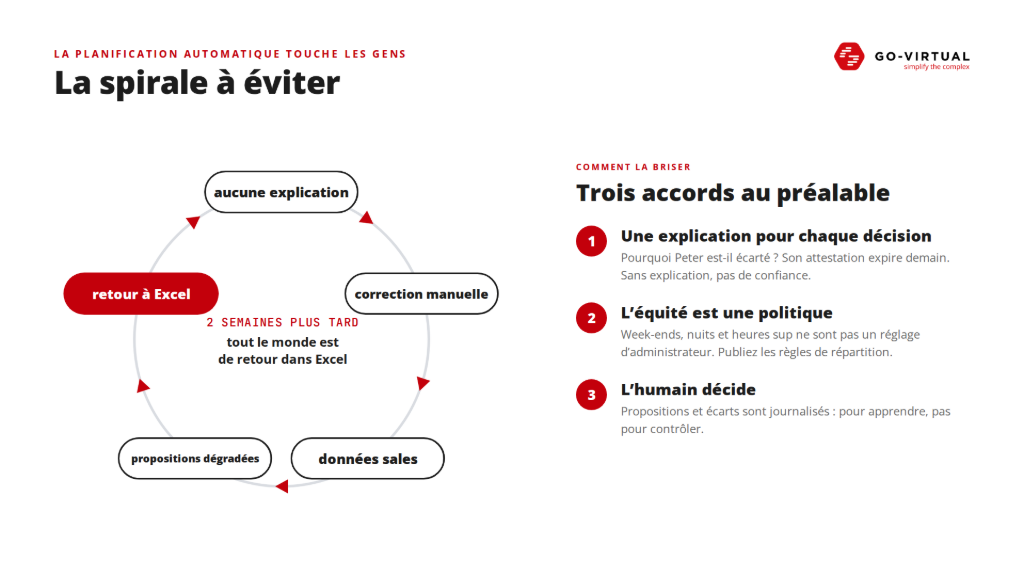
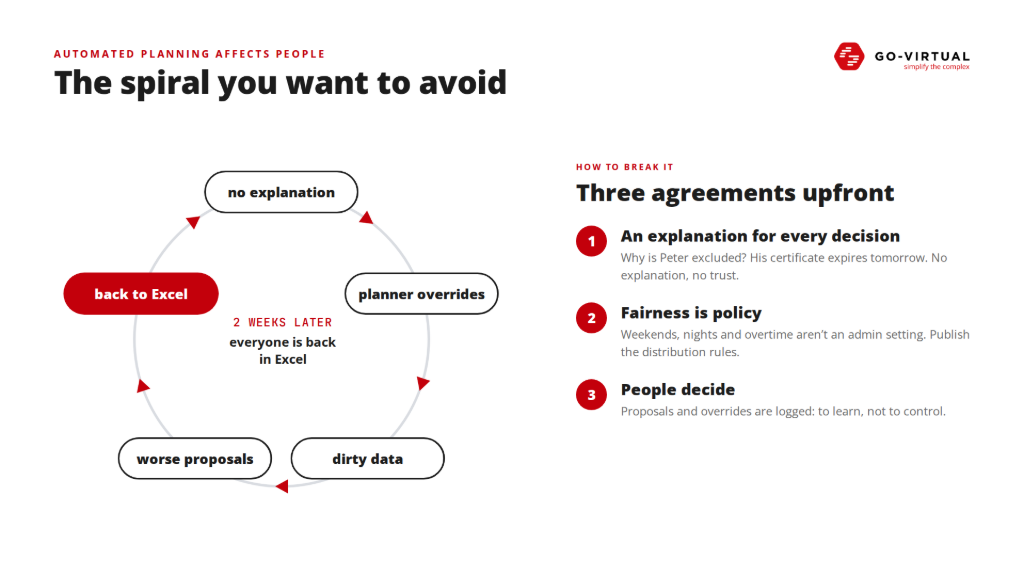
Up to this point, it was about rules and capacity. But planning affects people, and that requires three agreements in advance, not just after the first complaint.
The first is explanation for every decision. Why is Peter not proposed? Because his certificate expires tomorrow, or because he has already worked three nights in a row. A planner who only sees a red cross will not trust the proposal. The second is that honesty is policy. Those who receive weekends, nights, and overtime should not be a mysterious setting of an administrator. Publish the distribution rules before you automate. The third is that the human decides. Proposals, deviations, and approvals are logged, not to control planners, but to learn where model and reality diverge.
Whoever skips that ends up in a recognizable spiral. There is no explanation, so the planner overwrites the proposal. As a result, the registered reason is no longer correct and the data becomes dirty. The next proposals get worse, and two weeks later everyone is back in Excel. Automation only works if you involve planners and employees, not if you automate against them. Concrete labor law choices should of course be coordinated with the competent specialists.
Back to 05:38, this time with an engine
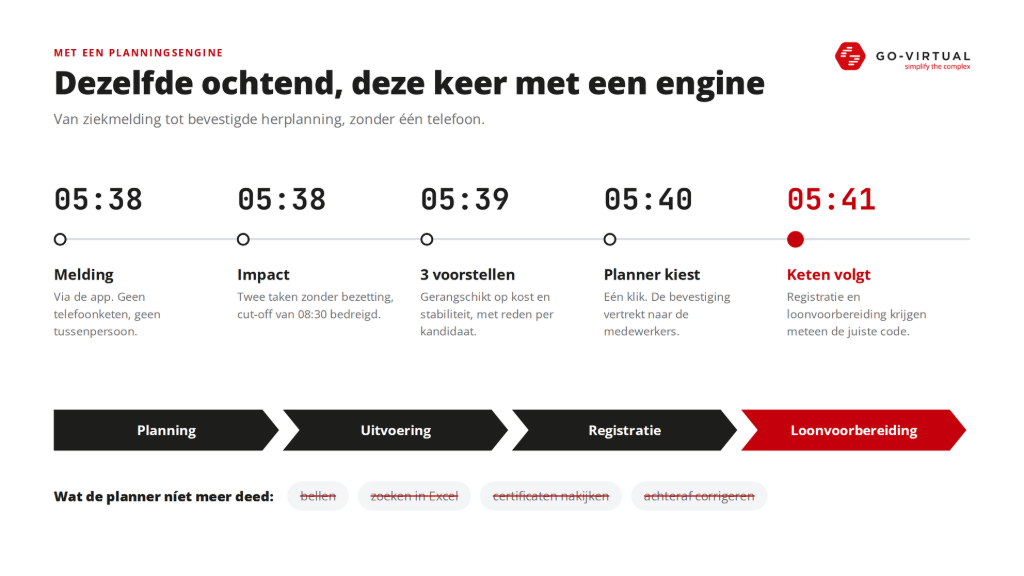
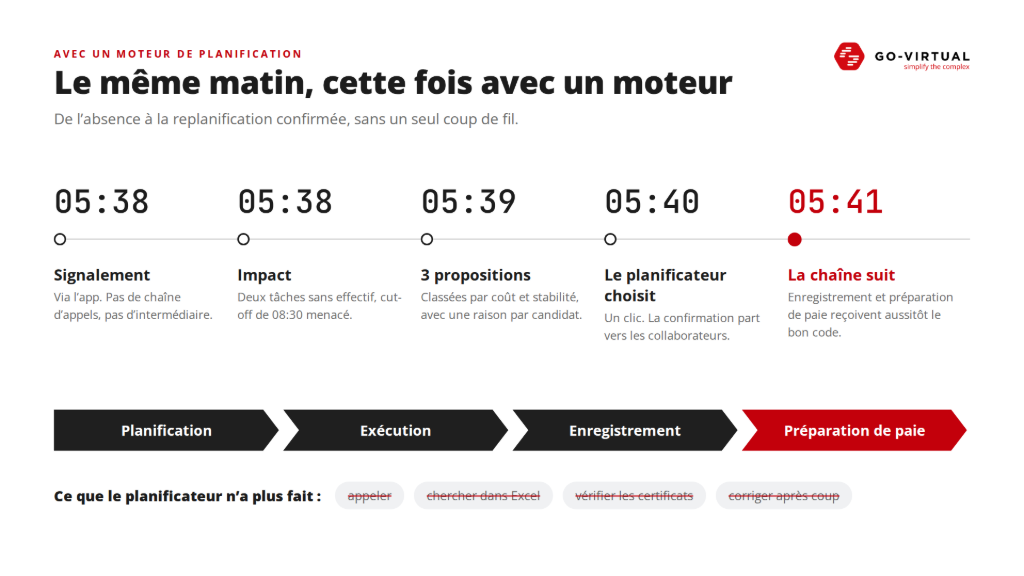
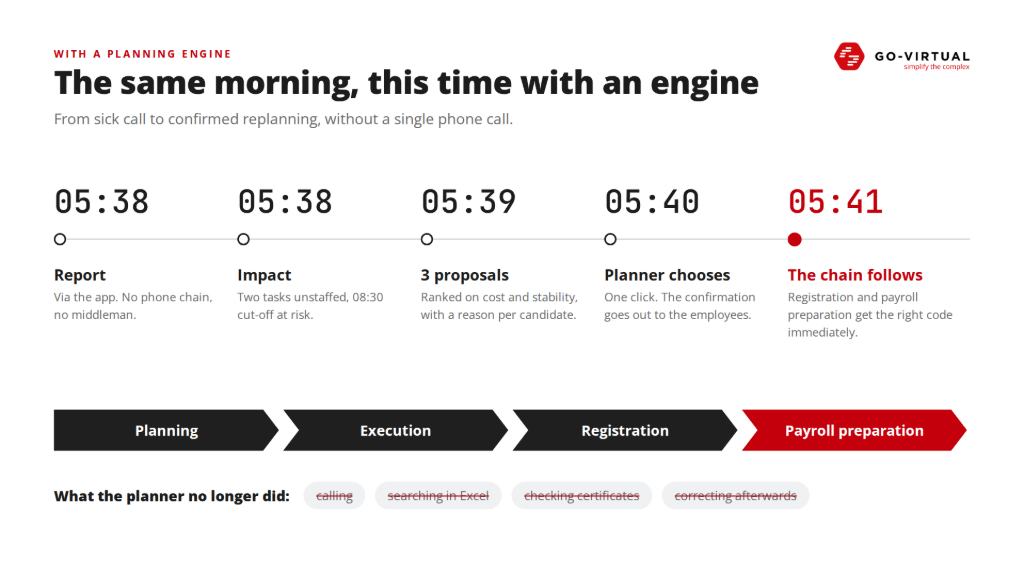
The same morning, the same sick report. At 05:38, the employee reports sick via the app, without a phone chain. At the same time, the system shows the impact: two tasks without coverage, the cut-off of 08:30 in danger. By 05:39, three proposals are ready. Not three free names, but three feasible alternatives, ranked by cost, stability, and impact, with the reason for each candidate why they do or do not fit. At 05:40, the planner chooses with one click and the confirmation is sent to the involved employees. At 05:41, the rest of the chain follows: registration and payroll preparation immediately receive the correct code.
That last point is often underestimated. Those who automate planning but keep registration and payroll preparation separate gain time at the front end and create correction work at the back end.
What the planner did not do that morning: call five times, search in Excel, check certificates, and reconstruct afterwards why someone switched shifts.
What we learned at Samsonite
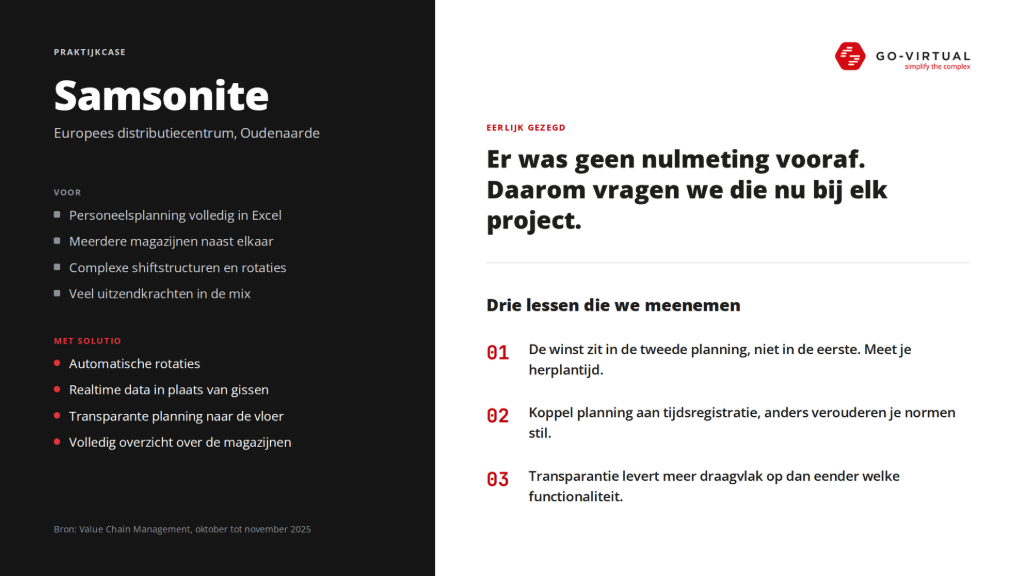
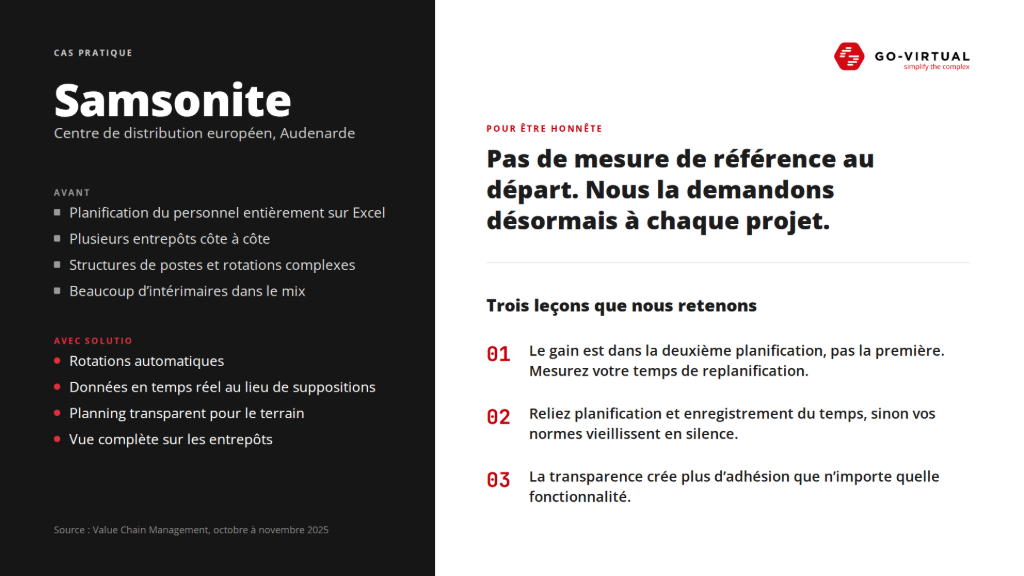
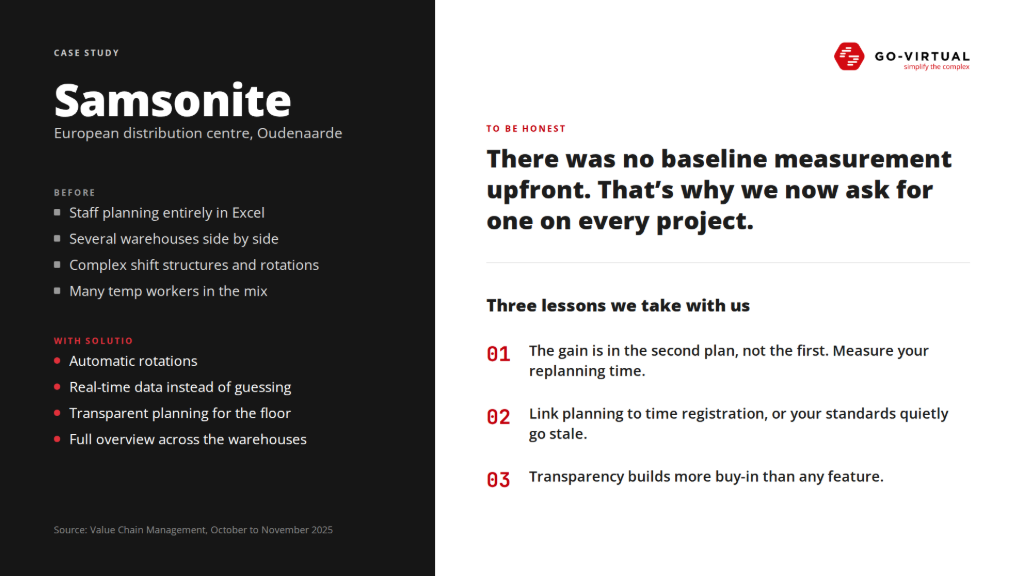
In the European distribution center of Samsonite in Oudenaarde, personnel planning was done entirely in Excel, across multiple warehouses, with complex shift structures, rotations, and many temporary workers. With SOLUTIO, this was fully digitized: skills and availabilities are included in the model, rotation preferences are taken into account, and there is a connection with HR and time registration. The result: automatic rotations, real-time data instead of guessing, a transparent planning to the floor, and complete oversight of the warehouses. (Source: Value Chain Management, October to November 2025.)
To be honest: there was no baseline measurement beforehand, so we can't give a percentage. That is exactly why we now ask for that baseline on every project. We take three lessons from it. The gain is in the second plan, not the first, so measure your replanning time. Link planning to time registration, or your standards will quietly become outdated. And transparency builds more buy-in than any feature ever could.
Starting without a big bang
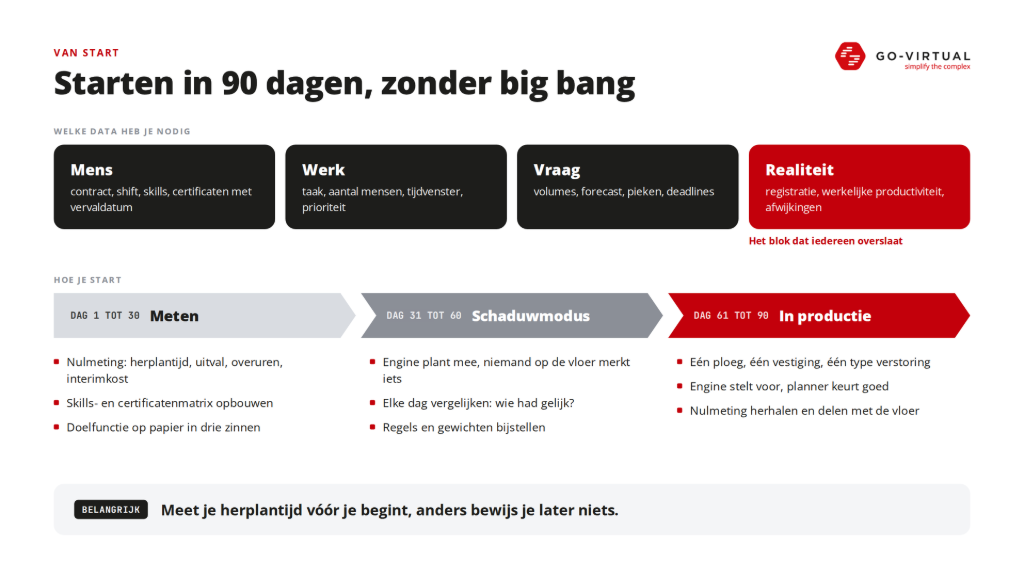
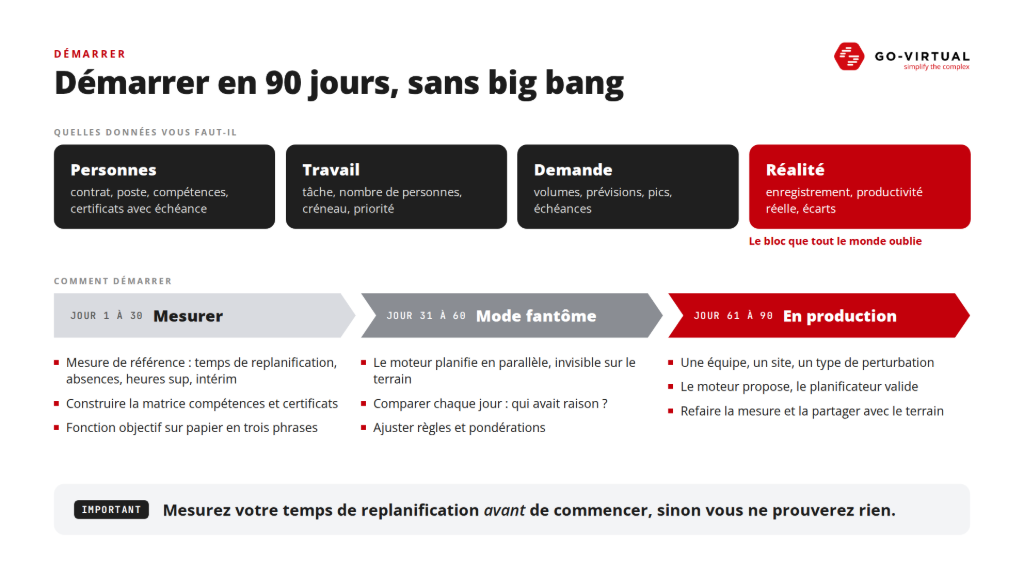
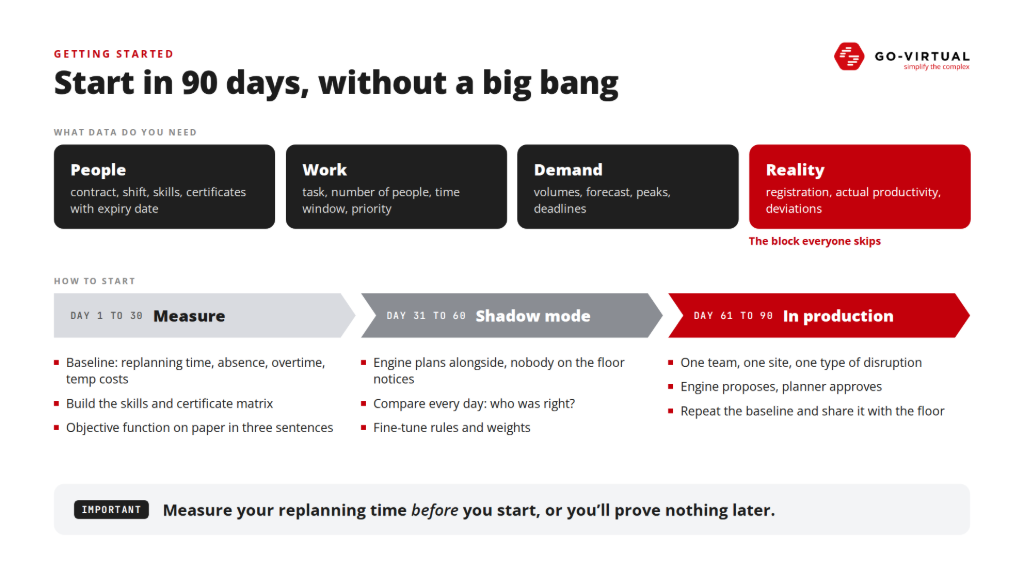
Automatic workforce planning quickly sounds like a gigantic data project. It doesn't have to be. Essentially, you need four blocks of information. About the person: contract, shift, skills, and certificates with expiration dates. About the work: which tasks, how many people, what time window, what priority. About the demand: volumes, forecast, peaks, and deadlines. And about the reality: what was actually recorded, how productive was one really, where were the deviations? That fourth block is often overlooked. Without feedback from registration, your standards remain based on theory, and theory becomes outdated.
A realistic approach fits in 90 days. In the first thirty days, you measure: rescheduling time, downtime, overtime, and interim costs. You build a matrix of skills and certificates and write your target function in three sentences on paper. From day 31 to 60, the engine runs in shadow mode. It plans along, but no one on the floor notices anything. Every day you compare: where does the engine deviate from the planner, and who was right in hindsight? That phase is worth its weight in gold, as you make implicit planning knowledge explicit. From day 61 to 90, you go into production in a controlled manner, with one team, one location, and one type of disruption. The engine suggests, the planner approves, and simple rescheduling becomes automatic step by step. At the end, you repeat the baseline measurement and share the difference with the floor.
The pitfalls along the way are almost never technical. A digital Excel that looks nicer but leaves the thinking to the person. Too many hard rules. A black box without explanation. No feedback from registration. Planning separate from payroll. And the big bang across all sites at once, the best way to make every data error visible at the same time. The good news: they are choices, not features. You can avoid them all before a single rule is configured.
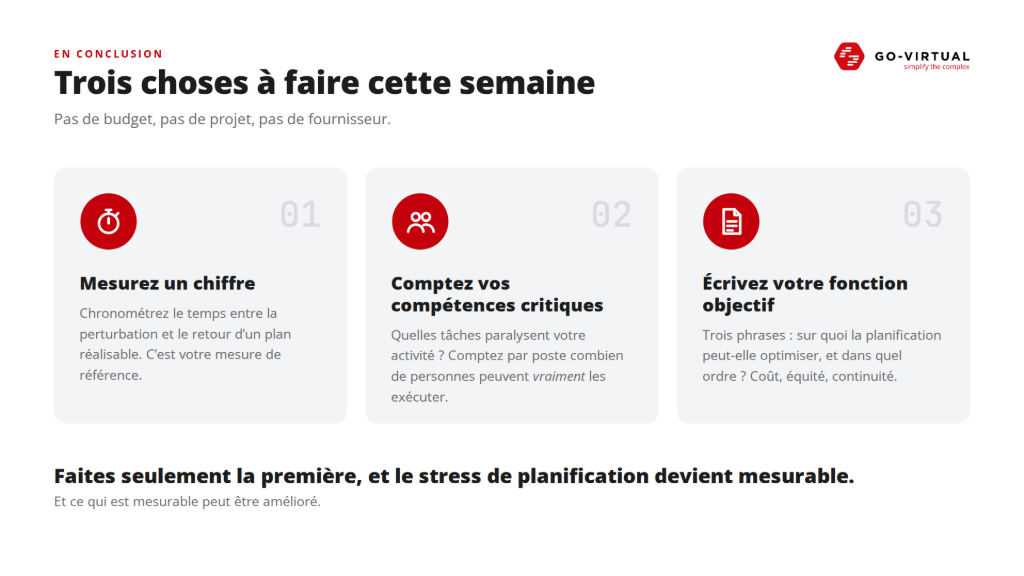
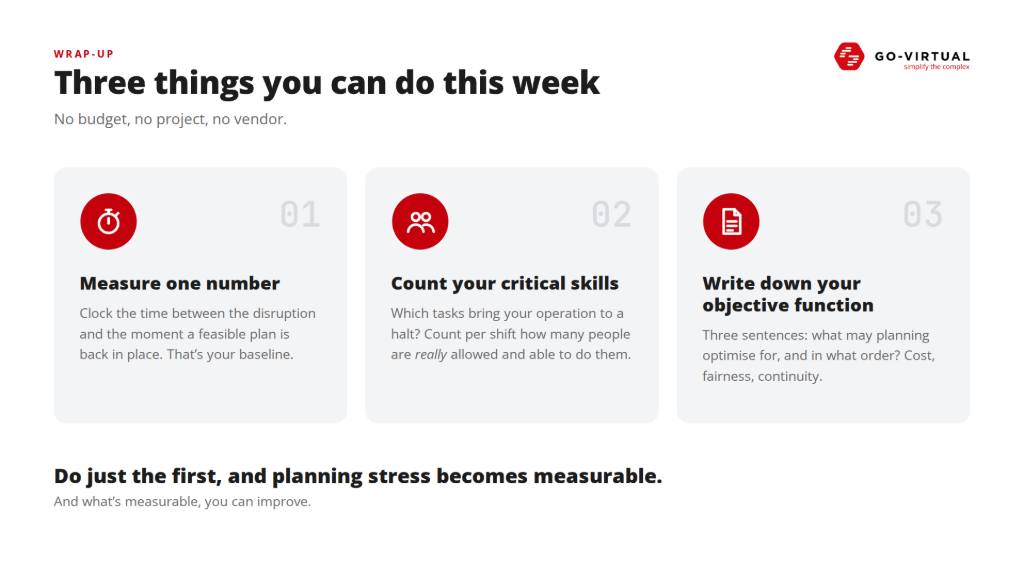
Three things you can do this week
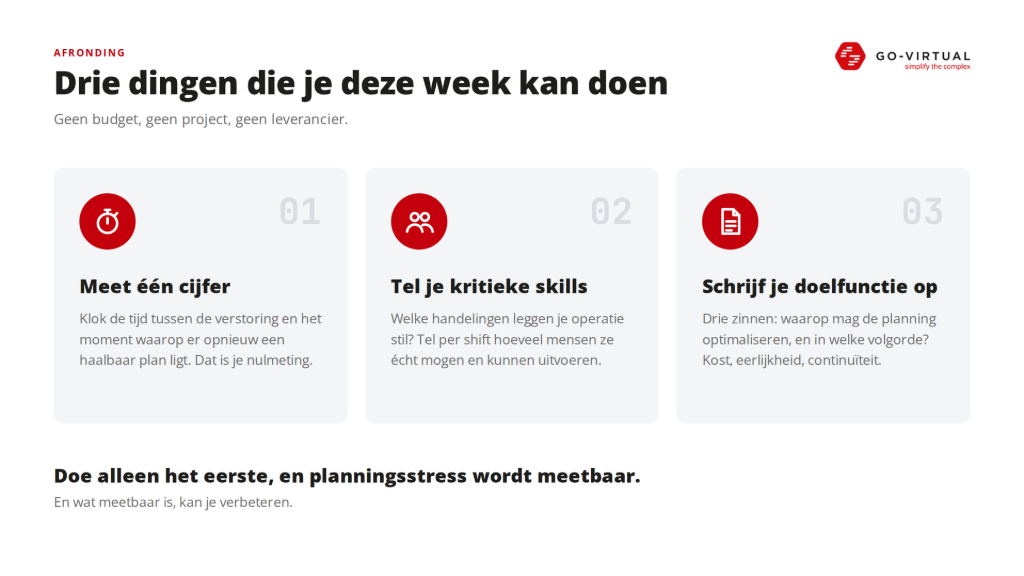
You don't need a budget, a project, or a supplier for it.
- Measure one number. Turn on the clock for the next unexpected downtime. Don't stop it at the first phone call or when someone says "I'll come", but only when there is a feasible plan again. That is your rescheduling time, and immediately your baseline measurement.
- Count your critical skills. What actions halt your operation if no one can perform them? Don't count how many people have ever learned that skill, but how many can actually perform them per shift.
- Write down your target function. Three sentences: what can the planning optimize when there is a conflict, and in what order? Cost, fairness, continuity, predictability, minimal changes. If management cannot name that order, you cannot expect an engine to apply them correctly.
If you only do the first, you already have a valuable figure in hand. From that moment on, planning stress becomes measurable. And what is measurable, you can improve.
The problem is rarely that the plan changes. The problem is how much time, money and stress it takes today to get back to a workable plan. Anyone who wants to solve that starts with one insight: available is not the same as deployable.


Curious what this means for your planning? GO-VIRTUAL is happy to demo SOLUTIO AWP on your own data. Get in touch at sales@go-virtual.com or visit www.go-virtual.com.