Planboard vs SOLUTIO: why a nice overview is not yet a feasible plan
A visual
planboard shows your planning.
But does it also know if that planning is correct?
But a planboard mainly shows where someone is scheduled. Not whether that planning on the work floor is feasible.
Once people, teams, materials, availabilities, skills, certificates, mobility, site context, and last-minute changes come together, the overview is just the tip of the iceberg. All checks, whether someone is free, qualified, the right materials are available, and the rules are respected, are in the minds of one or two planners.
That is the difference between a visual planboard and a planning tool like SOLUTIO.
What does a visual planboard do well?
- everything in one view, readable for everyone
- quickly shift with drag-and-drop
- low threshold, little training needed
- handy for a short term or a defined team
- intuitive to visually organize the day or week
Where does a planning board get stuck?
Not because the board is bad, but because the operational reality is faster and more complex than a static image.
- the board shows the planning, but the control happens in someone's head
- skills and certificates are checked separately, or forgotten
- availabilities and absences are not firmly in the board
- a change is dragged without anything validating it
- material planning operates separately from personnel planning
- mobile employees receive late or unclear information
- registrations come in only afterwards
- post-calculation lags behind reality
- if the planner drops out, the knowledge disappears with it
On the board, everything seems under control. In practice, corrections, discussions, and time loss occur.
A planboard makes it visual.
SOLUTIO assists.
A planning board is essentially a snapshot of decisions that have already been made in someone's head. The block looks neat, but whether it is correct, only the planner knows.
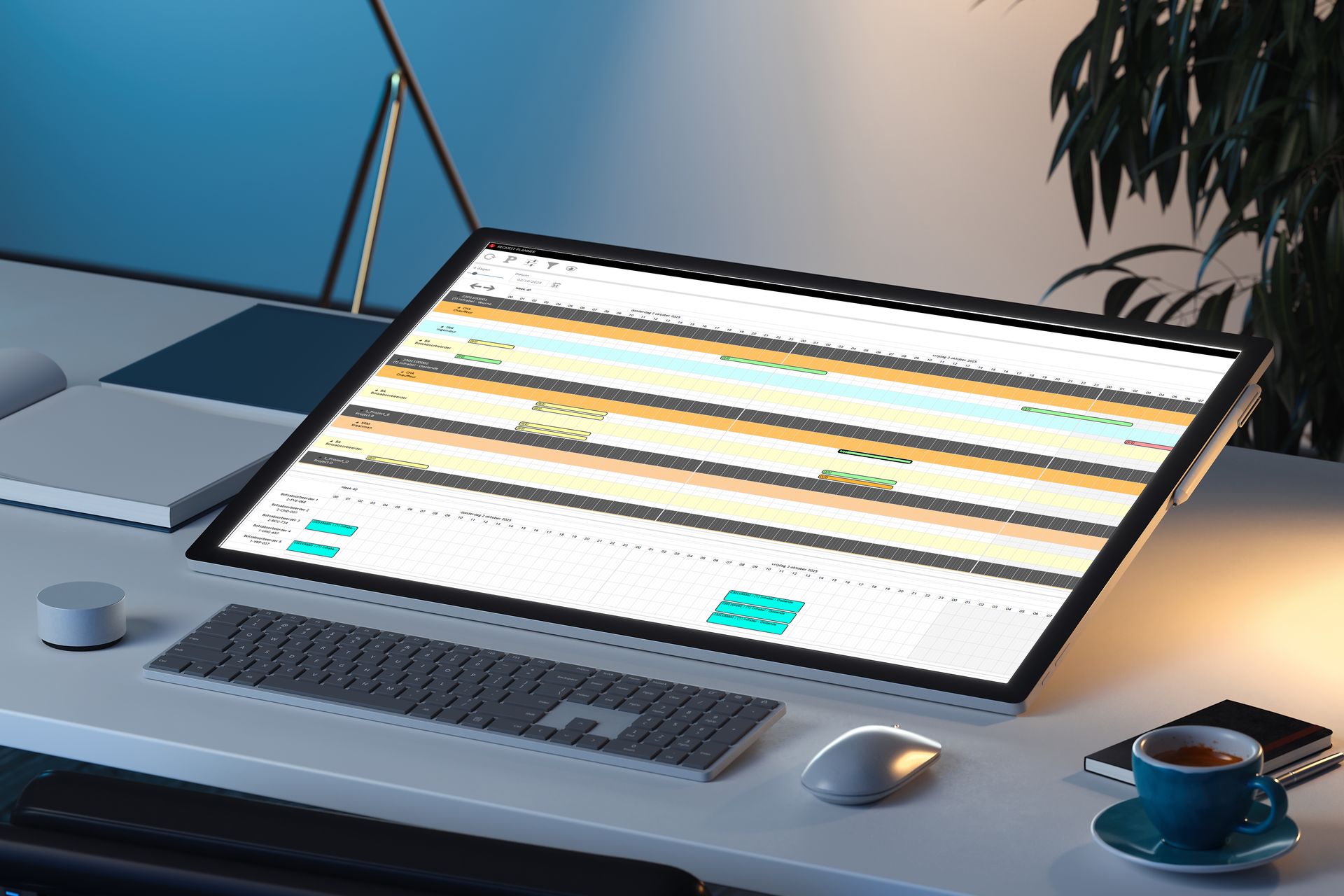
SOLUTIO turns that around. The visual planning remains, but every movement is tested against the actual conditions. You see not only what is planned, you see if it can be done.
"Visible" is not the same as "feasible"
A block on the board looks fine. But that does not mean that the planning is effectively executable.
- Maybe a certificate has expired.
- Maybe the employee is already scheduled with another team.
- Maybe the right materials are not available.
- Maybe the task does not fit within the rules, the planning, or the mobility.
- Maybe the site context changes that very day.
These are operational conditions. And that's where it gets tricky with a purely visual board.
A planning board shows who is where. Whether the planning is truly feasible requires more logic than a box on a timeline.


Where SOLUTIO Makes the Difference
SOLUTIO maintains the visual overview you expect from a planning board, but adds an operational layer underneath.
Think of:
- employees, teams, and assignments
- availabilities and absences
- skills and certificates as hard requirements
- equipment and transport
- operational rules and limitations
- mobile feedback from the shop floor
- link to registration and post-calculation
This way, there is no separate Excel file next to the board, but a controlled flow between planning, execution, registration, and post-calculation.
What changes concretely?
When your planning remains visual but is also validated, the loss in flow decreases.
- fewer errors that only appear on the work floor
- fewer manual corrections
- faster and controlled replanning
- better utilization of people and materials
- clearer communication to employees
- more reliable registrations from the site
- stronger post-calculation
- less dependence on one planner
- more control over time, costs, and margin
The profit lies in less rework afterwards.

When is a visual planning board no longer sufficient?
A planning tool
becomes relevant as soon as you deal with:
- mobile employees
- multiple sites or locations
- teams or shifts
- resource planning
- skills and certificates
- last-minute changes
- complex availabilities
- operational rules
- mobile work orders
- time registration and mobility
- post-calculation on projects
- recurring Excel work between planning and ERP
Is your planning today mainly based on human knowledge, loose files, and manual checks? Then the problem is rarely with the board itself. There is a lack of an operational planning layer.
Do you need to throw your planning board overboard? Usually not the right question.
The intention is not to eliminate the visual overview. The overview remains, because planners want to keep dragging and work in one view.
The better question is:
Where does
"showing" stop and "checking" begin?
SOLUTIO maintains the visual simplicity of a planning board, but tests every movement against the actual conditions. You retain the ease of drag-and-drop, with the assurance that what you plan can also be done.
Frequently asked questions answered
In this section, you can efficiently address common questions.
The overview is valuable, but it says nothing about feasibility. A board shows who is where. Whether that person is qualified, available, and correctly assigned remains a check that someone must do manually.
No. SOLUTIO retains the visual planning, but adds validation, rules, mobile registration, and links to post-calculation. You do not lose the overview, you gain control underneath.
A planning board visualizes decisions that have already been made. A planning tool helps make and validate those decisions, based on availability, skills, certificates, rules, and changes.
Often, the planning then relies on the experience of a few people. That works, until someone drops out or the complexity grows. SOLUTIO captures that knowledge in rules, so that the operation does not depend on one planner.
As soon as planning depends on multiple conditions at the same time: people, teams, equipment, skills, certificates, absences, mobile registration, approvals, and post-calculation. Then a planning tool is not an extra luxury, but a control layer for the operation.
Have Your Planning Flow Analyzed
Is your planning still largely based on a visual board today, with the controls in someone’s head?
Are changes, registrations, or corrections spread across separate files, emails, and phones?
Or do you notice that the post-calculation shows too late where time and margin have disappeared?
Then it is time to closely examine the flow between planning, execution, registration, and post-calculation.